UX/UI
Arabic Website UX: RTL Design, Localization and Conversion
Design usable Arabic websites with semantic RTL direction, readable typography, mixed-language content, accessible forms and complete language journeys.

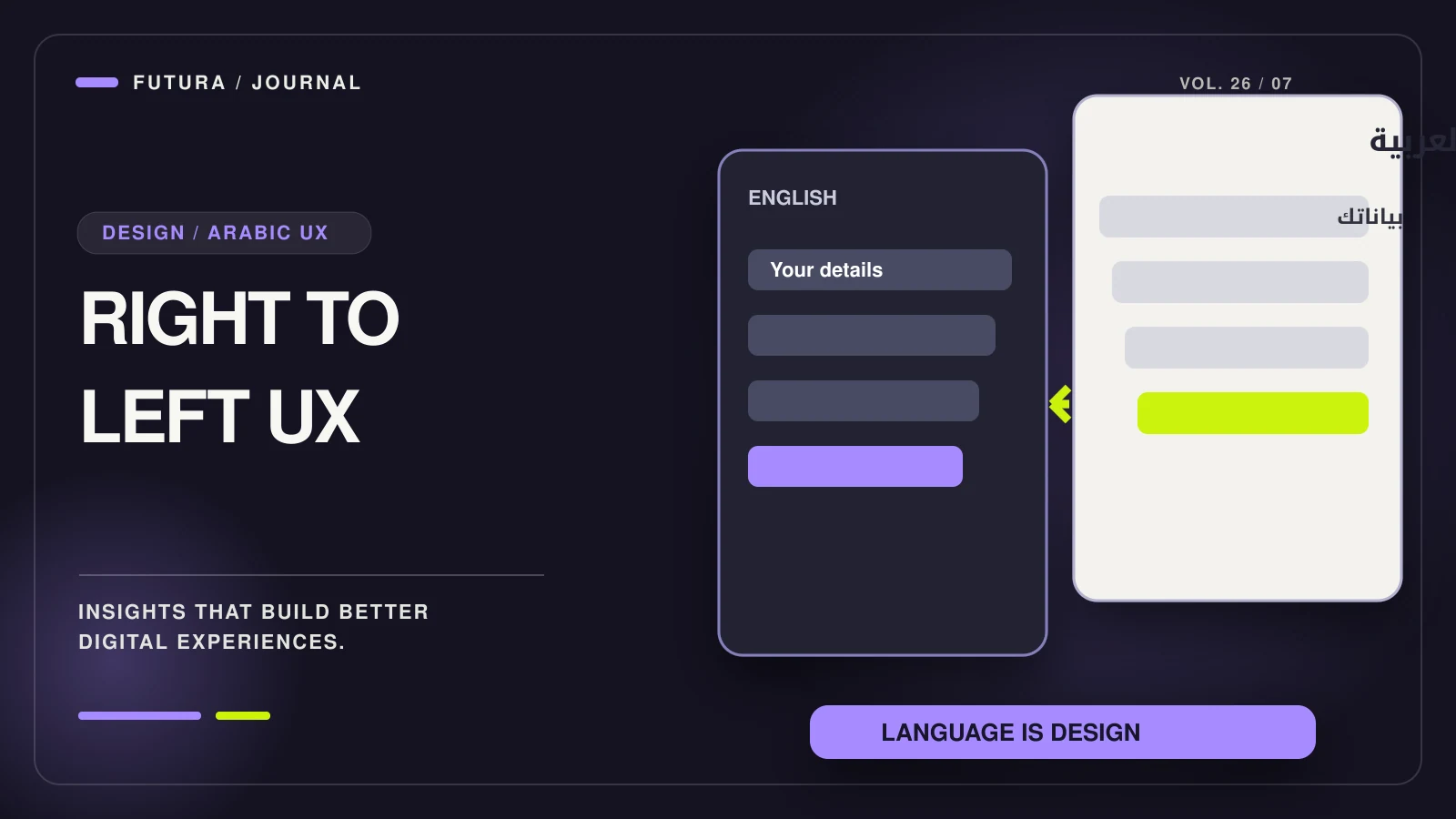
Arabic website UX requires a complete reading and interaction experience: correct document direction, readable typography, predictable mixed-language content and forms that remain understandable in every state. Flipping an English screenshot is not enough.
The business objective is practical. A customer should be able to understand an offer, compare options and complete the next step without decoding a partially localized interface. Good RTL work removes uncertainty; it does not rely on a promised conversion uplift.
This guide focuses on interface behavior. For the broader market, content and operating brief, use our Saudi website planning guide. Language should be chosen from customer needs, never inferred as a certainty from nationality or IP location.
- Set direction semantically and test mixed-language content.
- Review typography, forms and errors with actual Arabic wording.
- Measure usable tasks rather than promise a localization uplift.
Set reading direction semantically
For an Arabic document, use the appropriate language and direction at the document level. The W3C structural direction guidance explains why HTML direction is more dependable than styling text alignment alone.
Right alignment changes where a line sits; it does not define the base direction of its contents. When direction is left implicit, punctuation, mixed scripts and nested components can behave unexpectedly. A page may look correct with short sample text and fail when real product names are inserted.
Use direction intentionally for components that contain another writing system. Test the actual markup produced by your framework rather than assuming a design-tool setting will survive implementation.
Do not mirror every element indiscriminately
Navigation flow, progress indicators and directional actions often need review for RTL. But a product photograph, a brand mark or a familiar external logo is not automatically a candidate for mirroring. Decisions should be based on meaning and use, not a blanket transform.
| Interface element | Review question | A useful test |
|---|---|---|
| Navigation and breadcrumbs | Does the reading sequence remain clear? | Follow a multi-level path in Arabic |
| Back and next controls | Does the icon communicate the intended movement? | Complete a multi-step task |
| Product imagery | Would mirroring change the product or information? | Compare with the real item |
| Charts and timelines | What direction does the underlying data require? | Review with a domain-aware Arabic reader |
| Media controls | Is the behavior consistent with user expectations? | Test the actual component and device |
Avoid creating two disconnected component libraries unless there is a genuine reason. Shared components with intentional language and direction behavior make it easier to keep fixes consistent.
Treat Arabic typography as content design
Choose a font that supports the needed Arabic characters and offers a readable range of weights. Review real paragraphs, numerals, punctuation and interface labels. The apparent balance between an English font and an Arabic font can differ even when the CSS size is identical.
Give lines enough breathing room for the selected script and font. Do not apply Latin-style letter spacing indiscriminately to Arabic text. Test whether bold labels, small metadata and button text remain legible on a phone rather than judging only a large desktop heading.
Allow layouts to accommodate the reviewed wording. Truncating every long label can hide the difference between two choices; shrinking the whole interface to make a translation fit creates another usability problem. Resolve the wording and component behavior together.
Protect mixed-language names, numbers and identifiers
Arabic interfaces routinely contain Latin brand names, email addresses, URLs, order codes and telephone numbers. Those are not rare edge cases. A customer might paste an English product model into an Arabic support message or enter a phone number while using an Arabic keyboard.
The W3C inline bidirectional-text guidance discusses isolation and direction for embedded text. Developers should use the appropriate semantic tools and test variable user content rather than inserting invisible characters as a one-off visual repair.
Keep stored identifiers stable. A localized presentation should not silently alter an order code, email address or payment reference. Copying a displayed value and pasting it into another system is a useful acceptance test.
Localize forms and errors as a complete journey
Visible labels should explain what the user must enter. If a particular format is required, say so before an error occurs. Keep the label associated with the control and provide a useful message when validation fails. W3C form instructions offer a practical accessibility reference.
Review keyboard behavior, focus order and error recovery in the implemented page. A customer should not lose their entire message because one field needs correction. Duplicate taps during a slow request should not create repeated enquiries or orders.
For an illustrative bilingual enquiry form, test an Arabic project description containing an English company name and a telephone number. Then reject a request in a controlled test. Confirm that the error is understandable, the entered information remains available and the send state recovers.
Make language switching preserve the customer’s task
A language switch should lead to the corresponding page when a real equivalent exists. Do not send every switch back to the homepage if that loses a service, product or booking decision. Avoid claiming an alternate language version for content that has not actually been translated and reviewed.
Use understandable language names rather than relying only on flags, because a language does not belong to one country. Test navigation, browser history and direct links in both languages.
For the search relationship between language versions, see our English–French SEO structure guide. The same principle applies here: publish genuine equivalents and keep each page’s canonical and language references accurate, rather than generating empty alternates.
Review trust and conversion without cultural shortcuts
Translate the information needed for the decision: what is included, relevant eligibility or delivery constraints, what happens after submission and how the business can be contacted. Accurate content builds trust more credibly than generic regional imagery.
Do not imply that every Arabic-speaking buyer has the same preferences. A procurement team evaluating a B2B platform needs different evidence from a customer choosing a weekend stay. Use research with the intended audience to decide which questions and proof belong in the journey.
Our Dubai e-commerce cost guide explains why Arabic content, RTL components and QA need their own scope. They are easier to plan early than to retrofit after checkout and integrations have been completed.
A focused RTL acceptance checklist
- Review real Arabic copy with an appropriate native reviewer.
- Test mixed Arabic/Latin names, URLs, phone numbers and order identifiers.
- Complete navigation, search, validation, error recovery and confirmation tasks.
- Check long labels, empty states and small mobile viewports.
- Use keyboard navigation and visible focus in both language versions.
- Confirm that translated claims, policies and commercial details remain accurate.
The strongest RTL implementation is one your team can maintain without special fixes on every page. Treat language, direction and component behavior as part of the system, then verify the complete customer task.
A focused UI/UX design review can turn these considerations into testable component and content requirements.
FAQ
Common questions
Can I add RTL by setting text-align to right?
That changes alignment but does not establish the document’s base text direction. Use semantic direction settings and test mixed-language content as described in W3C guidance.
Should every arrow and image be mirrored?
No. Review what each element means and how it behaves. Directional navigation may need adaptation; product imagery and brand assets should not be reversed without a reason.
Does Arabic need a separate website codebase?
Not necessarily. A shared component system can support both directions if content, typography and behavior are designed and tested deliberately.
Can machine translation replace Arabic review?
It can assist drafting in some workflows, but it does not establish that commercial terminology, errors and instructions are appropriate. Publish only content that has been properly reviewed.
Will RTL changes guarantee more conversions?
No. Measure whether users can complete important tasks and compare qualified outcomes after controlled changes. Do not claim a universal conversion uplift from localization alone.
Sources
Primary sources for the claims above, last checked on 2026-10-16.
- Structural direction — W3C Internationalization
- Inline bidirectional markup — W3C Internationalization
- Form instructions — W3C WAI
Have a project in mind?
Review your Arabic interface
Share your goals and requirements with Futura. A team member can assess the scope; no automatic quotation or outcome is promised.
Discuss your project